IFTendo-Battleship
Team (IFT) · 2023

Overview
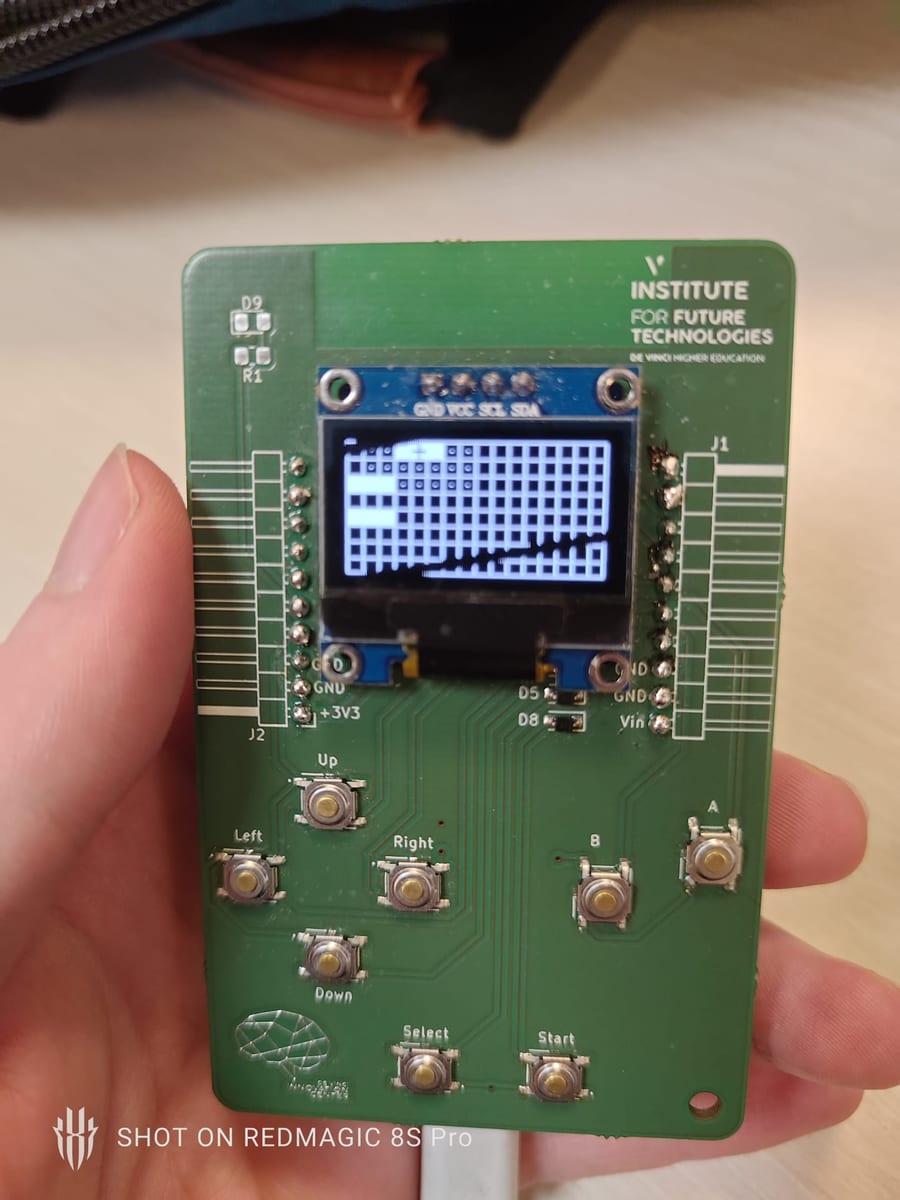
A Battleship game running on a home-made Game Boy: a custom PCB with an OLED screen and eight tactile buttons (D-pad plus A, B, Select and Start), written in C++ in the Arduino IDE. Two consoles play together. One becomes the host and opens its own Wi-Fi access point, the other joins it as the client.
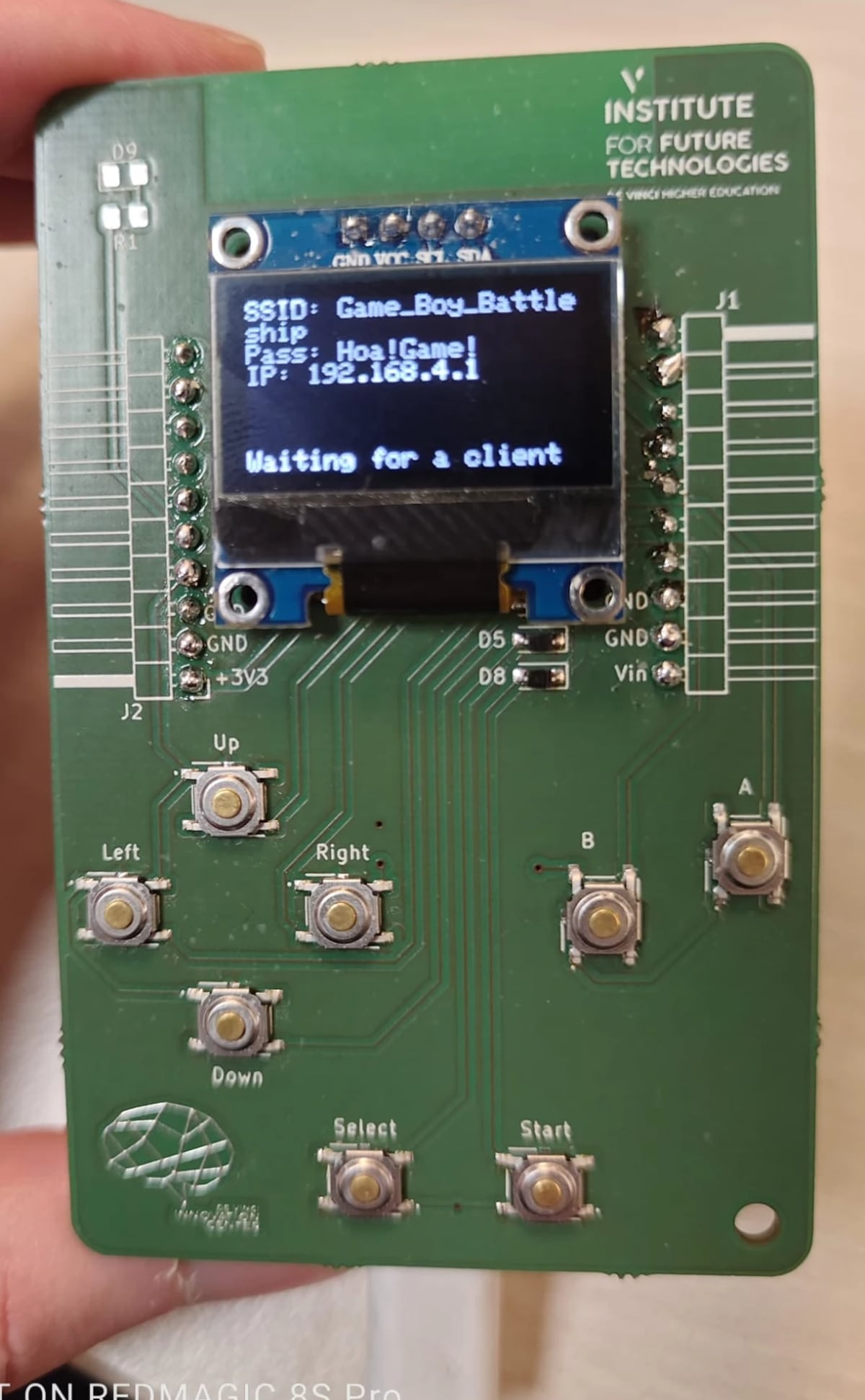
SSID: Game_Boy_Battleship).How it works: host and client
- The host boots a Wi-Fi SoftAP, its own network, and shows the SSID, password and IP on the OLED. Then it waits.
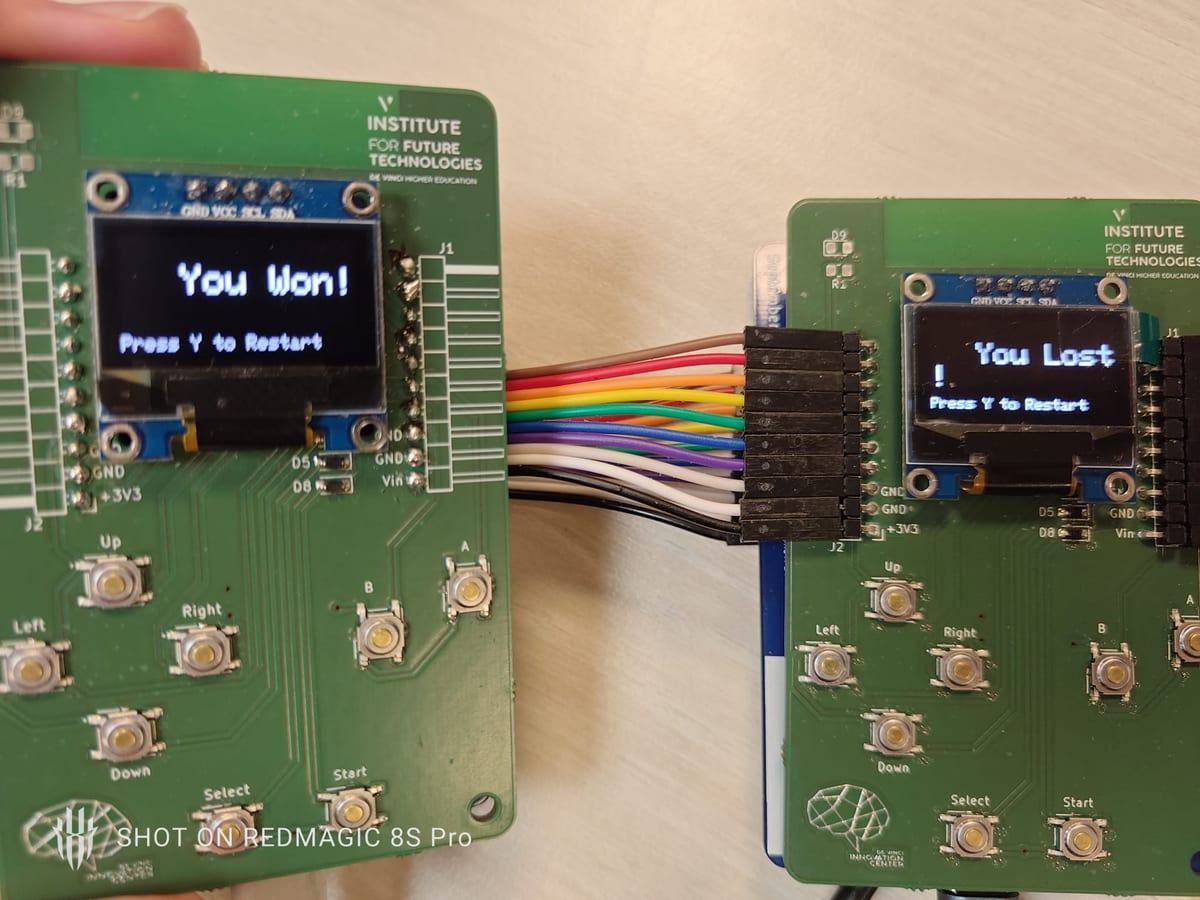
- The client joins that network. From there the two consoles talk directly, with no router in between.
- Game state travels over Wi-Fi so both screens stay in sync.
How to play
- Turn on the host. It starts the access-point server and displays “Waiting for a client”.
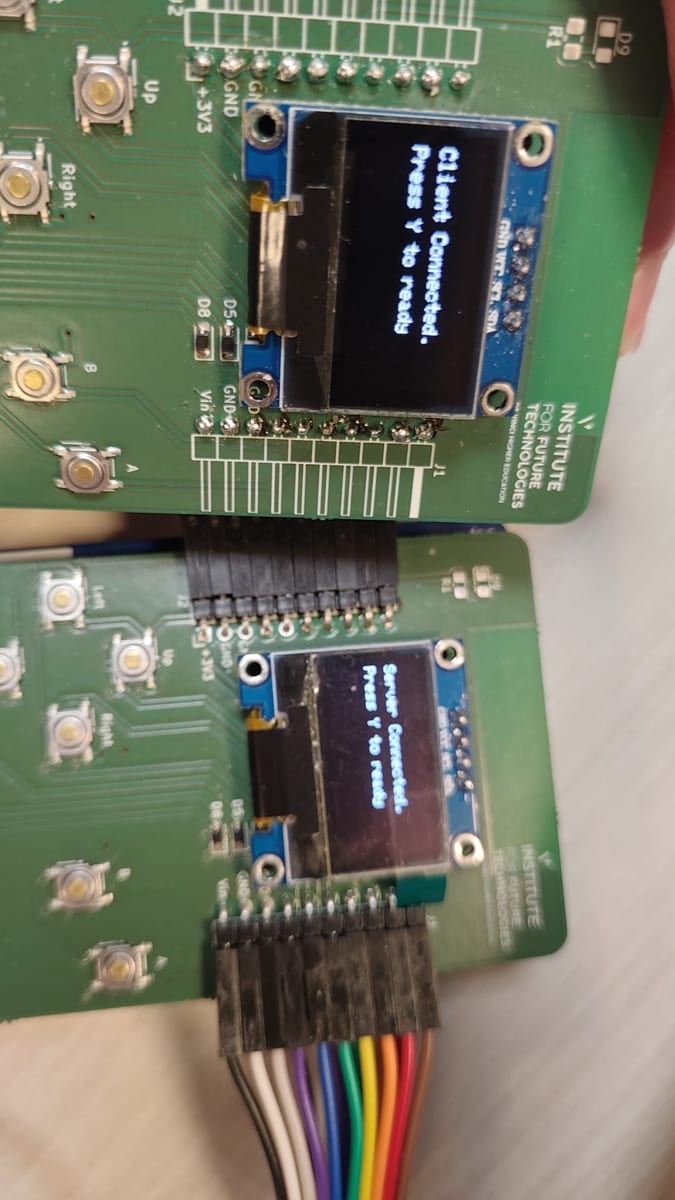
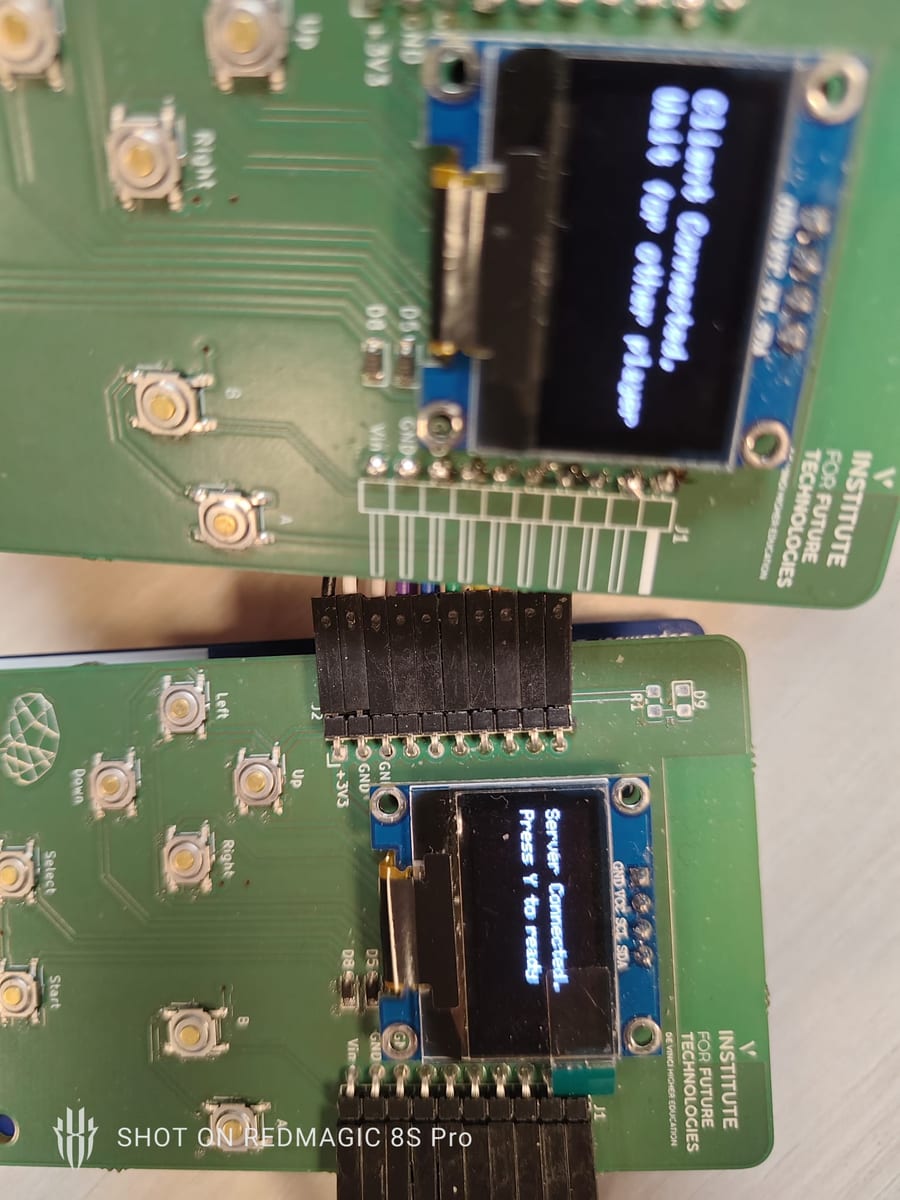
- Turn on the client. It connects to the host.
- Both players press Start to begin.
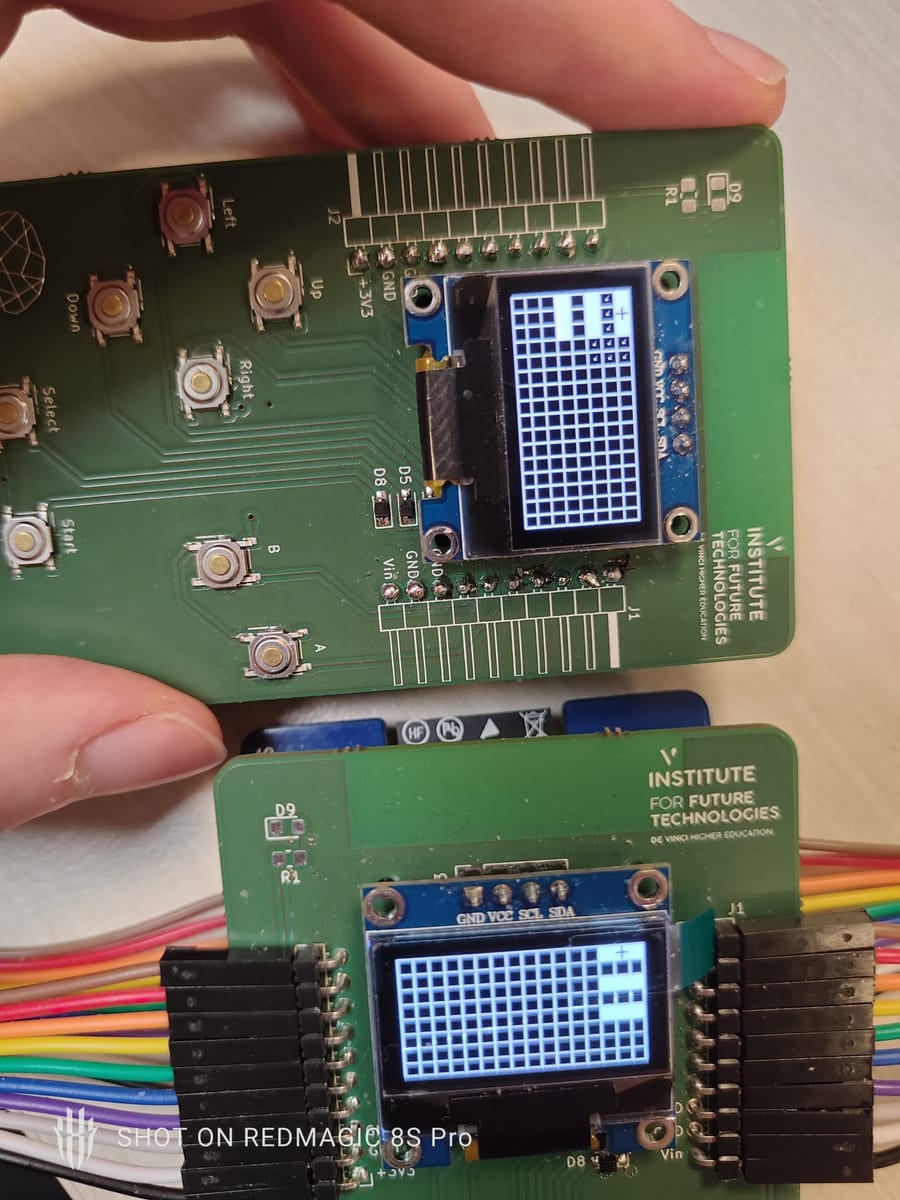
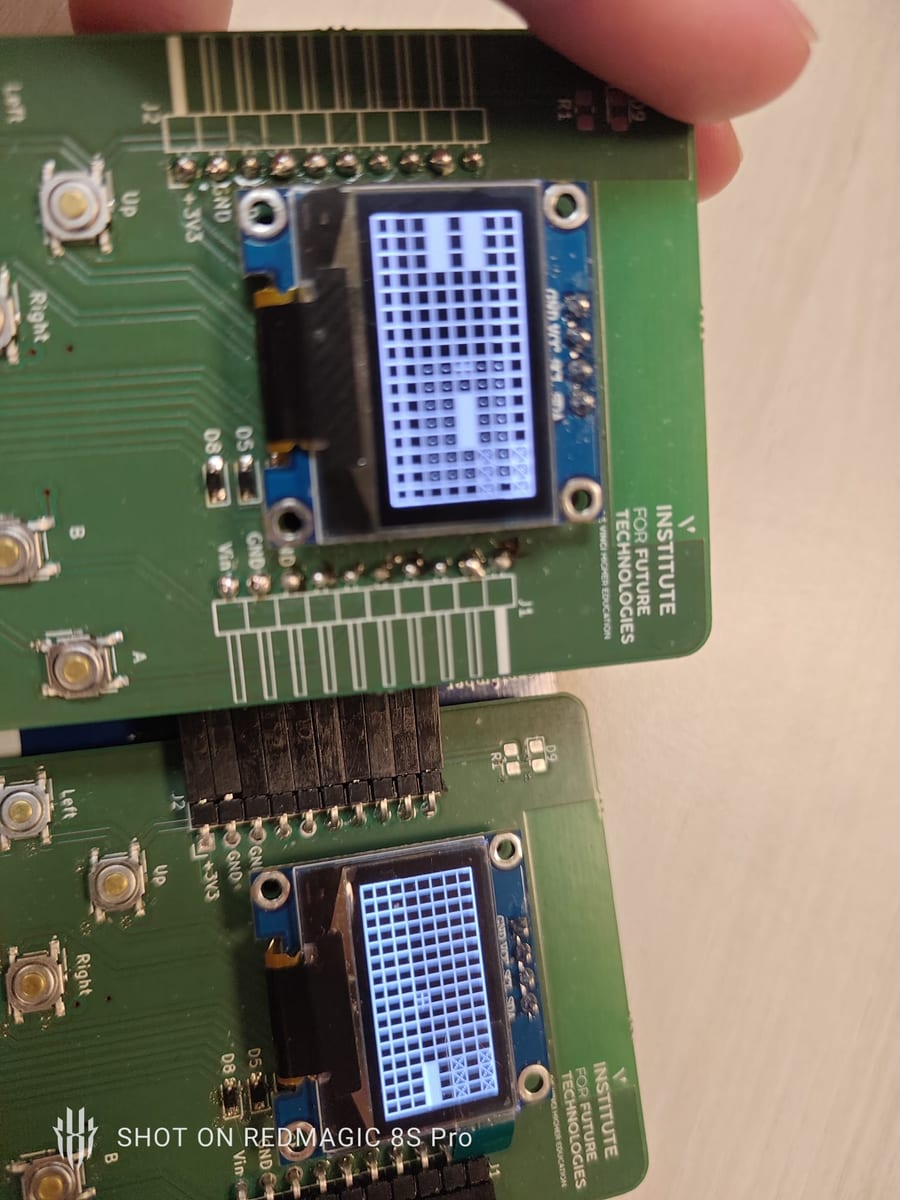
- Place your fleet. Three boats each:
Selectpicks a ship, the d-pad moves the selector (valid cells appear dotted),Adrops the boat. - Fire with
Bon the cell where you think an enemy boat is. Sunk boats show a cross. - Sink every enemy boat to win. Press
Startto replay.
Hardware and build
Custom PCB designed in KiCad, assembled by hand in SMD and THT. An ESP8266-class board (NodeMCU), an OLED over I²C, eight buttons. It was a hands-on way to learn electronics end to end, from schematic and board layout to embedded C++ under the constraints of the microcontroller.
The console hardware and materials were shared work. Credit to the collaborator's repository.
A full explanation video is available in the GitHub README.
Überblick
Ein Schiffe-versenken-Spiel auf einem selbstgebauten Game Boy: eine eigene Platine mit OLED-Display und acht Tasttasten (Steuerkreuz plus A, B, Select und Start), geschrieben in C++ in der Arduino-IDE. Zwei Konsolen spielen zusammen. Eine wird zum Host und öffnet ihren eigenen WLAN-Access-Point, die andere verbindet sich als Client.
SSID: Game_Boy_Battleship).So funktioniert es: Host und Client
- Der Host startet einen WLAN-SoftAP, sein eigenes Netz, und zeigt SSID, Passwort und IP auf dem OLED. Dann wartet er.
- Der Client tritt diesem Netz bei. Ab da sprechen die beiden Konsolen direkt miteinander, ohne Router dazwischen.
- Der Spielzustand läuft über WLAN, damit beide Bildschirme synchron bleiben.
Spielablauf
- Host einschalten. Er startet den Access-Point-Server und zeigt „Waiting for a client“.
- Client einschalten. Er verbindet sich mit dem Host.
- Beide Spieler drücken Start, um zu beginnen.
- Flotte platzieren. Drei Schiffe pro Seite:
Selectwählt ein Schiff, das Steuerkreuz bewegt den Cursor (gültige Felder erscheinen gepunktet),Asetzt das Schiff. - Feuern mit
Bauf das Feld, auf dem du ein gegnerisches Schiff vermutest. Versenkte Schiffe werden mit einem Kreuz markiert. - Versenke alle gegnerischen Schiffe, um zu gewinnen.
Startstartet neu.
Hardware und Aufbau
Eigene Platine, entworfen in KiCad, von Hand bestückt in SMD und THT. Ein Board der ESP8266-Klasse (NodeMCU), ein OLED über I²C, acht Tasten. Ein sehr konkreter Weg, Elektronik von Anfang bis Ende zu lernen: vom Schaltplan über das Layout bis zu eingebettetem C++ unter den Grenzen des Mikrocontrollers.
Hardware und Material der Konsole waren gemeinsame Arbeit. Credit an das Repository des Mitarbeiters.
Ein vollständiges Erklärvideo liegt im GitHub-README.
Vue d’ensemble
Une bataille navale qui tourne sur une Game Boy faite maison : un PCB sur mesure avec un écran OLED et huit boutons tactiles (croix directionnelle plus A, B, Select et Start), écrit en C++ dans l’IDE Arduino. Deux consoles jouent ensemble. L’une devient l’hôte et ouvre son propre point d’accès Wi-Fi, l’autre s’y connecte en client.
SSID: Game_Boy_Battleship).Le fonctionnement : hôte et client
- L’hôte démarre un SoftAP Wi-Fi, son propre réseau, et affiche le SSID, le mot de passe et l’IP sur l’OLED. Puis il attend.
- Le client rejoint ce réseau. À partir de là, les deux consoles se parlent directement, sans routeur au milieu.
- L’état de la partie transite par le Wi-Fi pour que les deux écrans restent synchronisés.
Comment jouer
- Allume l’hôte. Il démarre le serveur du point d’accès et affiche « Waiting for a client ».
- Allume le client. Il se connecte à l’hôte.
- Les deux joueurs appuient sur Start pour commencer.
- Place ta flotte. Trois bateaux chacun :
Selectchoisit un navire, la croix déplace le sélecteur (les cases valides apparaissent en pointillés),Apose le bateau. - Tire avec
Bsur la case où tu penses qu’un bateau adverse se trouve. Les bateaux coulés s’affichent barrés d’une croix. - Coule tous les bateaux adverses pour gagner.
Startrelance une partie.
Matériel et fabrication
PCB sur mesure conçu sous KiCad, assemblé à la main en CMS et traversant. Une carte de classe ESP8266 (NodeMCU), un OLED en I²C, huit boutons. C’était une façon très concrète d’apprendre l’électronique de bout en bout, du schéma au routage jusqu’au C++ embarqué sous les contraintes du microcontrôleur.
Le matériel et la fabrication de la console étaient un travail partagé. Crédit au dépôt du collaborateur.
Une vidéo d’explication complète est disponible dans le README GitHub.
概要
自作のゲームボーイで動く戦艦ゲームです。OLED ディスプレイと8つのタクトスイッチ(十字キーと A・B・Select・Start)を載せた自作基板で、C++ を Arduino IDE で書いています。2台の本体で対戦し、片方がホストになって自前の Wi-Fi アクセスポイントを開き、もう片方がクライアントとして接続します。
SSID: Game_Boy_Battleship)。仕組み:ホストとクライアント
- ホストは Wi-Fi の SoftAP、つまり自前のネットワークを立ち上げ、SSID・パスワード・IP を OLED に表示して待機します。
- クライアントがそのネットワークに参加します。以降はルーターを挟まず、2台が直接やり取りします。
- ゲームの状態は Wi-Fi 経由で流れ、両方の画面が同期し続けます。
遊び方
- ホストの電源を入れる。 アクセスポイントのサーバーが起動し、「Waiting for a client」と表示されます。
- クライアントの電源を入れる。 ホストに接続します。
- 両プレイヤーが Start を押すとゲーム開始です。
- 艦隊を配置する。 各自3隻。
Selectで船を選び、十字キーでカーソルを動かし(置けるマスは点線で表示されます)、Aで確定します。 Bで射撃。 敵の船があると思うマスを撃ちます。沈んだ船にはバツ印が付きます。- 敵の船をすべて沈めれば勝ち。
Startで再戦できます。
ハードウェアと製作
KiCad で設計した自作基板を、SMD と THT で手はんだしています。ESP8266 系のボード(NodeMCU)、I²C 接続の OLED、8つのボタン。回路図と基板レイアウトから、マイコンの制約下での組込み C++ まで、電子工作を最初から最後まで手を動かして学べた題材でした。
本体のハードウェアと部材は共同作業によるものです。共同制作者のリポジトリにクレジットします。
詳しい解説動画は GitHub の README にあります。
概览
一款跑在自制 Game Boy 上的海战棋:自制 PCB,配 OLED 屏和八个轻触按键(方向键加 A、B、Select、Start),用 C++ 在 Arduino IDE 里写成。两台主机对战,其中一台成为主机端并开出自己的 Wi-Fi 热点,另一台作为客户端接入。
SSID: Game_Boy_Battleship)。工作方式:主机与客户端
- 主机端启动 Wi-Fi SoftAP,也就是它自己的网络,并在 OLED 上显示 SSID、密码和 IP,然后等待。
- 客户端加入这个网络。此后两台主机直接通信,中间没有路由器。
- 对局状态通过 Wi-Fi 传递,两块屏幕因此保持同步。
玩法
- 打开主机端。 它会启动热点服务器并显示 “Waiting for a client”。
- 打开客户端。 它会连上主机端。
- 双方都按 Start 开始对局。
- 布置舰队。 每人三艘:
Select选船,方向键移动选择框(可放置的格子显示为虚线),A落下。 - 用
B开火,打在你猜有敌舰的格子上。被击沉的船会画上叉。 - 击沉全部敌舰即获胜。 按
Start可再来一局。
硬件与制作
自制 PCB 用 KiCad 设计,手工完成贴片与插件焊接。ESP8266 级别的开发板(NodeMCU)、I²C 接口的 OLED、八个按键。这是一次非常具体的电子学练习,从原理图、板级布局一路做到单片机限制下的嵌入式 C++。
完整讲解视频见 GitHub README。